Giving a Crestron TSW-750 a second life.
The Apfel Orchard panel project turns a discontinued Crestron TSW-750 into a modern, general-purpose control surface by leaving the touchscreen hardware in place and moving the intelligence to an Ubuntu server.
What the project actually does
The core idea
The project does not try to turn the TSW-750 into an Ubuntu computer. Instead, it treats the panel as a capable embedded display and input device. Ubuntu becomes the processor, data broker, renderer, policy engine, and update system.
Preserve the panel
Keep the original touch hardware, physical buttons, PoE, native graphics engine and Crestron networking behavior.
Replace the processor
A custom Python service accepts the TSW-750’s CIP connection and supplies joins, serial values, navigation and dynamic image URLs.
Integrate modern systems
Ubuntu talks to Home Assistant, Tesira, network telemetry, weather/radar sources and other services that the original panel was never designed to understand.
Architecture
The TSW remains a thin endpoint. Almost every dynamic decision happens on the server, which keeps the panel project small and makes new integrations possible without replacing the hardware.
Crestron TSW-750
800×480 native UI, touch joins, serial joins, hard buttons, page navigation, image controls and CIP client connection.
Ubuntu / Apfel Panel
Python bridge on TCP 41794, browser UI on 8089, session state, policy checks, image generation, telemetry caching and update orchestration.
Modern services
Home Assistant, Biamp Tesira, network status collector, weather/radar, album artwork, printer telemetry and management interfaces.
What it has become
By v0.19, this is no longer a proof-of-concept page on an old panel. It is a small control-platform stack with server-side applications, a guarded deployment model, and a native touchscreen front end.
Current interface
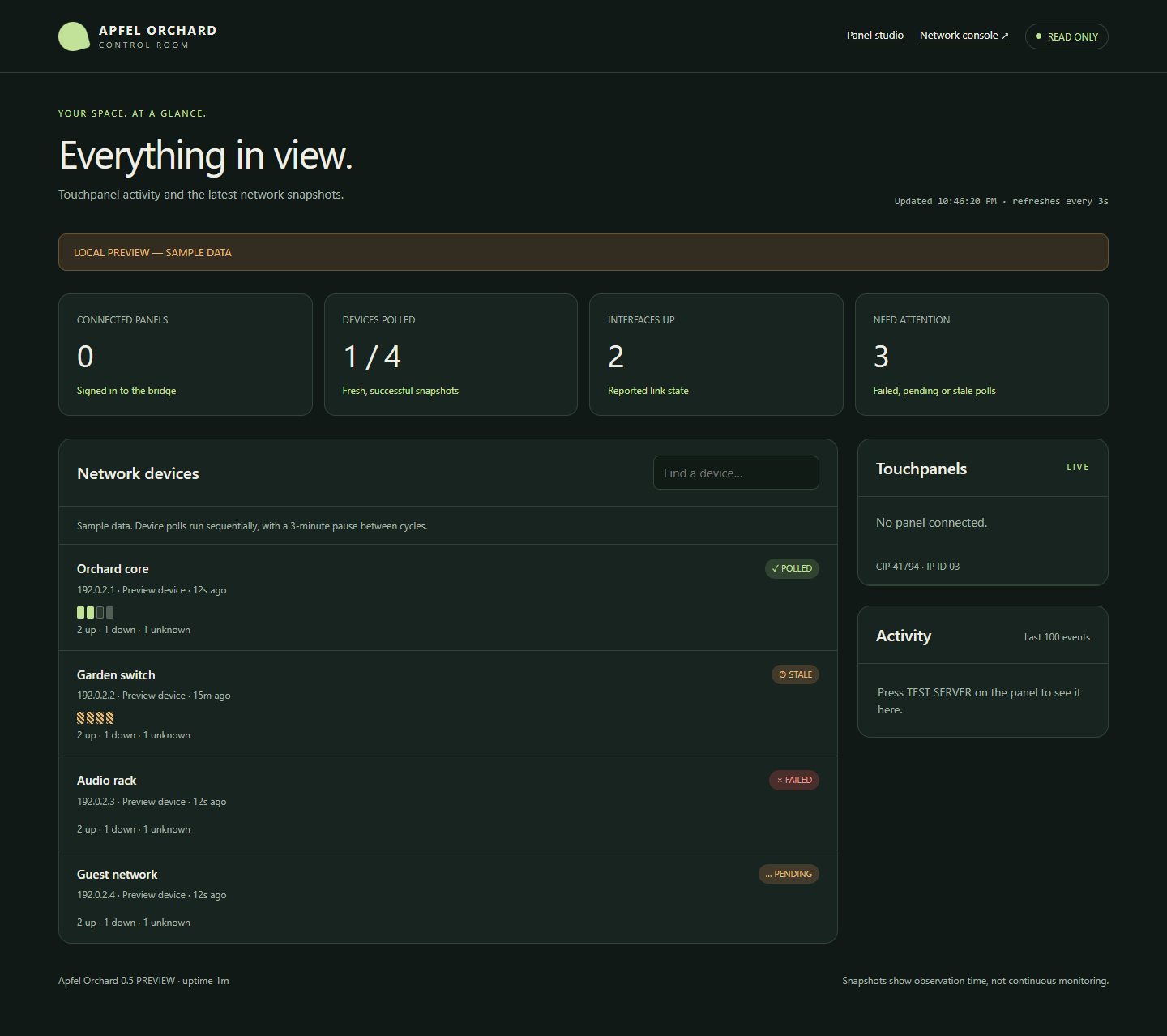
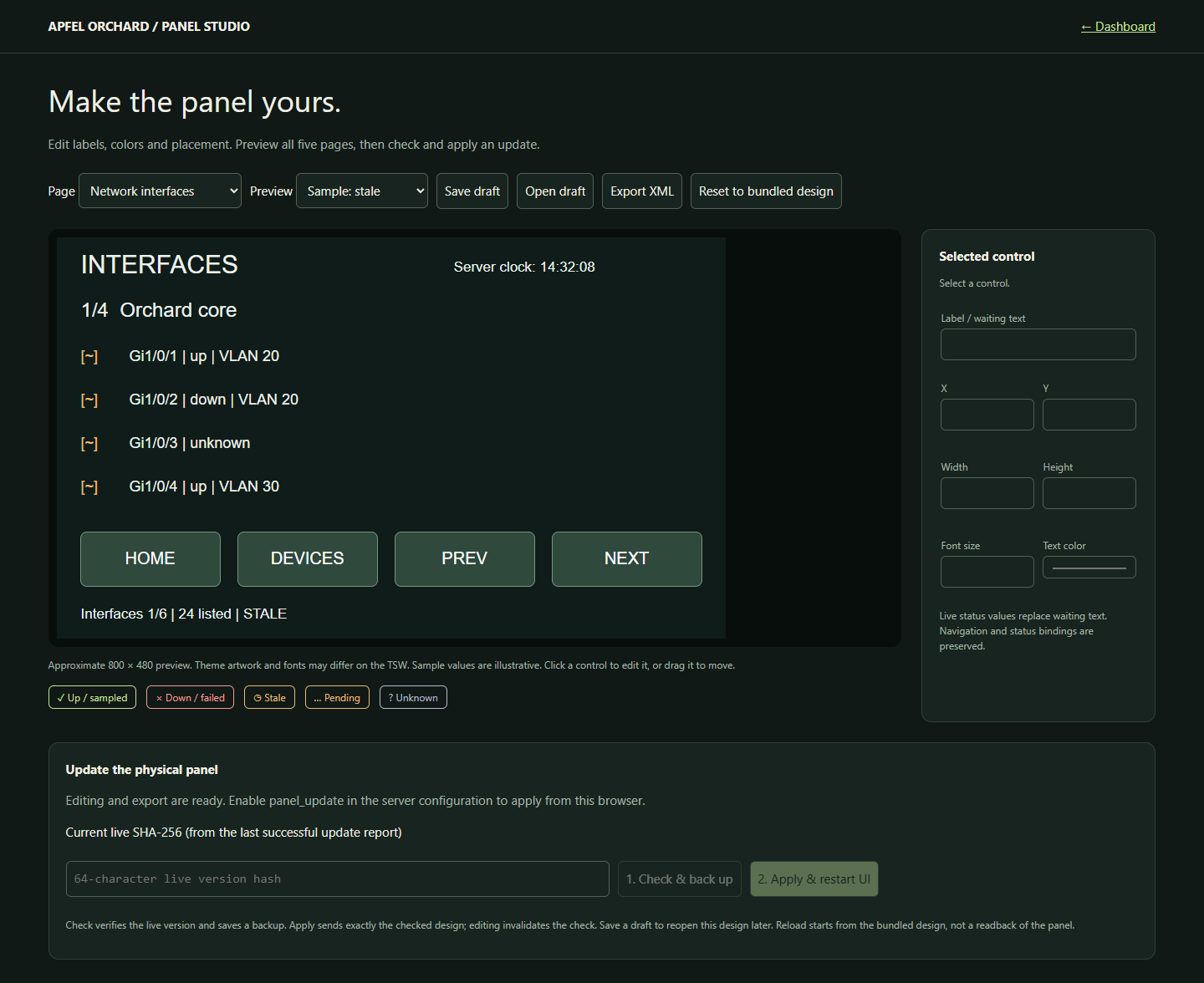
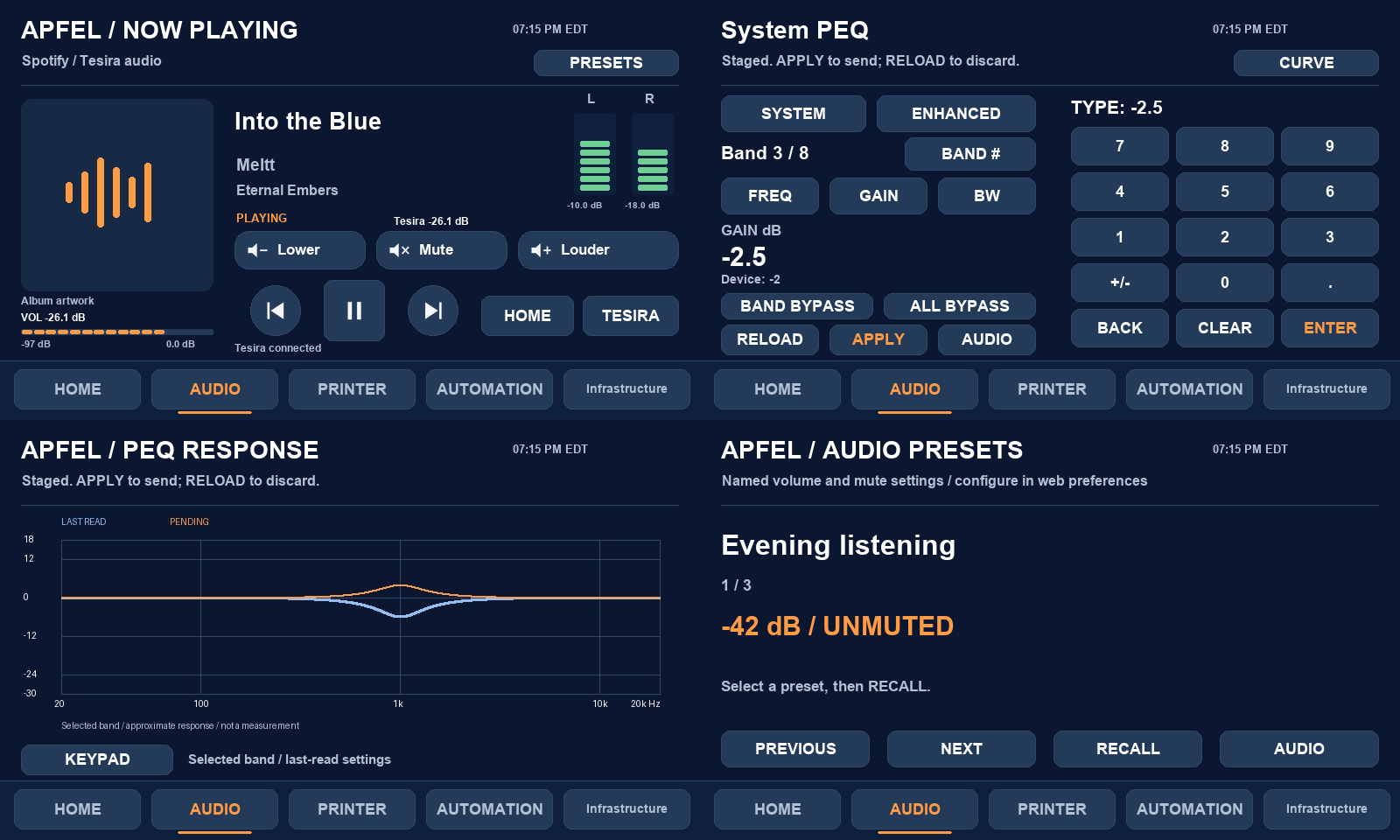
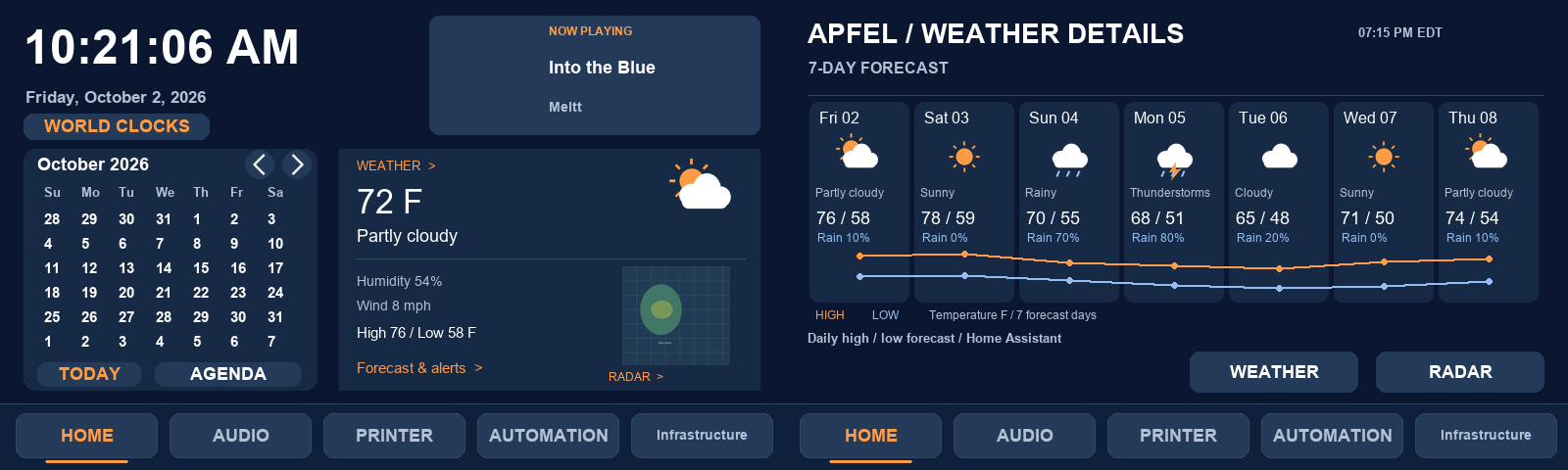
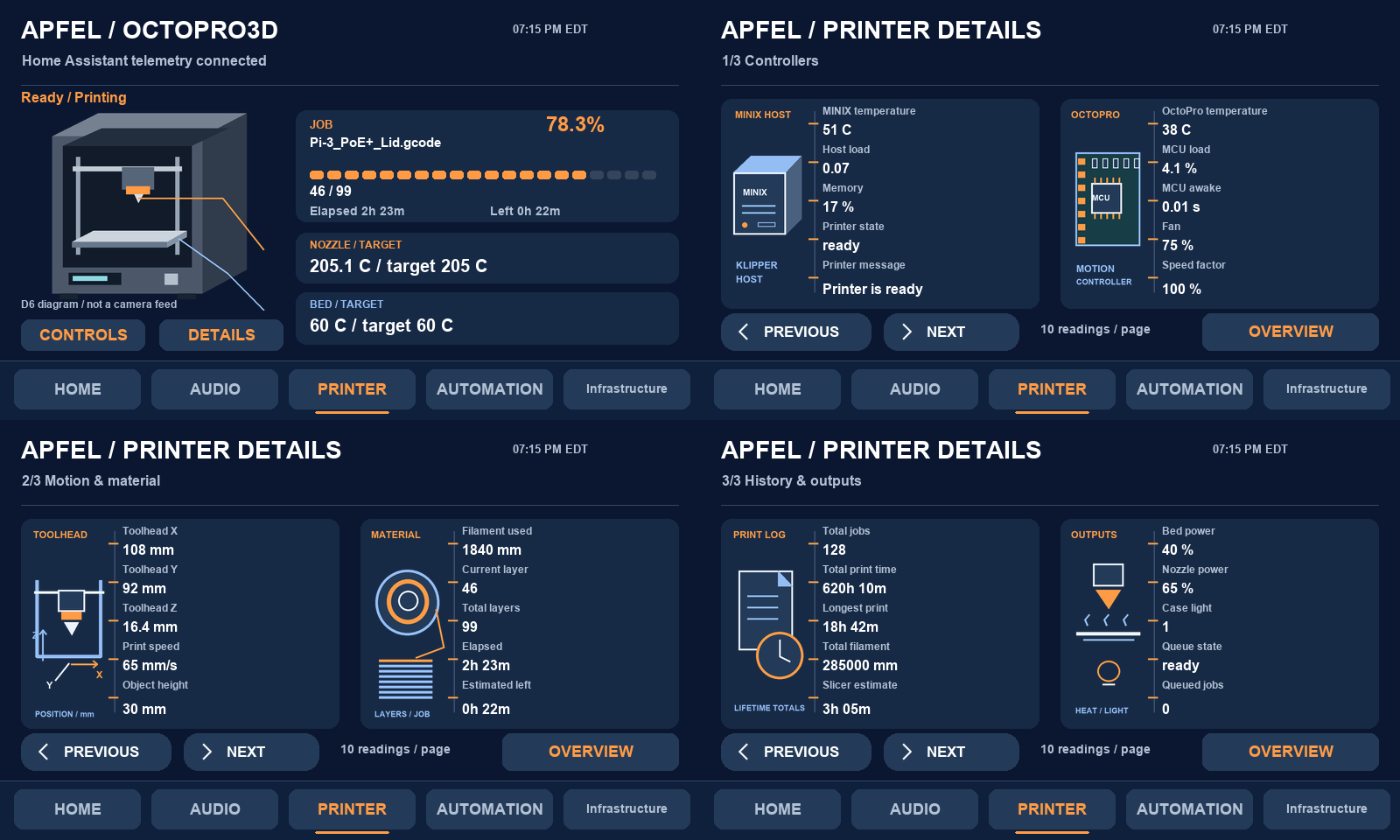
These are actual project preview screens from the v0.12–v0.19 development path. They show how much of the user experience is now composed on Ubuntu and delivered through the original panel project.
Project evolution
The release trail shows a steady shift from “make the panel talk” toward a reusable platform.
Home clock/calendar/weather, Infrastructure pages, printer and audio redesign, native image alignment fixes and fixed-destination ping diagnostics.
Three detail pages, 30 readings, static technical artwork and explicit control safeguards.
One-second audio telemetry path, direct PEQ numeric entry and immediate readback behavior.
Configurable bezel buttons, page-specific behavior, idle/profile logic, presets and PEQ response visualization.
Full home weather card, radar preview and seven-column forecast generated at exact TSW display sizes.
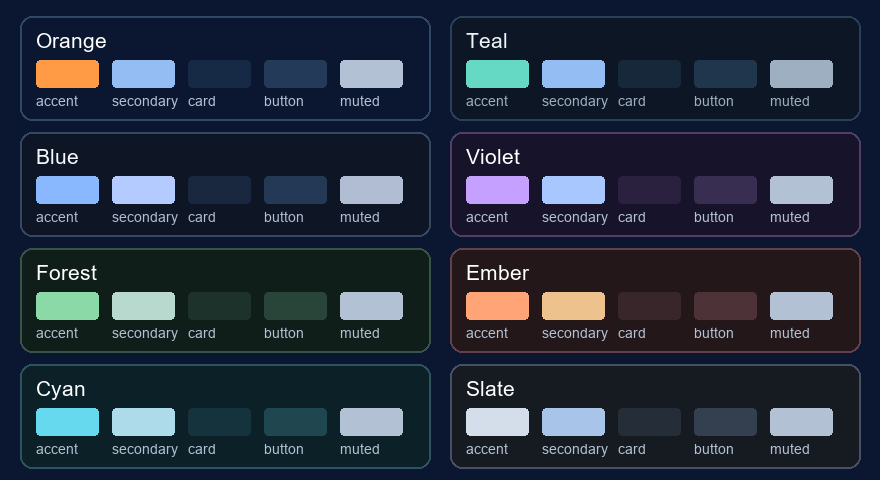
Eight theme families, per-object color editing, page-only palettes, undo and direct Forecast navigation while preserving existing bindings.
Ubuntu deployment model
The release is installed as a hardened systemd service. Configuration and user state are kept outside the replaced runtime so an upgrade can swap application code without erasing the working panel configuration.
/opt/apfel-panel/                 # installed runtime
/etc/apfel-panel.json             # protected service configuration
/var/lib/apfel-panel/             # persistent state
  Studio.xml                      # working native panel design
  updates/                        # backups and update reports
  printer.json
  info.json
  profiles.json
  hard-buttons.json
  audio-presets.json

TCP 41794  TSW-750 CIP connection
TCP 8089   authenticated dashboard + dynamic panel assets
The bridge is intentionally not a full Crestron processor emulator. It implements the protocol behavior needed by this project and limits panel connections to configured IP networks. The service also runs with systemd hardening such as NoNewPrivileges, ProtectSystem=strict, ProtectHome=true and a narrow writable state directory.
Updating the physical panel
One of the most useful parts of the project is that everyday development does not require repeatedly imaging or rewriting the TSW storage. Native design changes are staged and applied from Ubuntu.
Edit in Studio
Load the bundled release pages or a saved draft, preview pages, and make layout/theme changes in the browser.
Check & back up
The server reads the live panel version, saves a backup and binds the exact candidate design to the check.
Apply & restart UI
The checked design is uploaded over SSH, verified, and the native panel UI is restarted. Editing after Check invalidates the candidate.
The project deliberately separates server upgrades from physical-panel updates. Installing a new Ubuntu release preserves the working Studio design; the native layout changes only when explicitly checked and applied.
Why this matters
Commercial touchpanels are often discarded when their original control ecosystem ages out even though the display, touch digitizer, PoE interface, enclosure and physical controls remain perfectly usable. This project demonstrates another path: preserve the purpose-built endpoint and replace the proprietary “brain” behind it with software that can evolve.
Project thesis
The TSW-750 does not need to become a modern tablet. It only needs a modern server that understands how to speak its language.